
Download Microsoft Photo Story – Photo Presentation, Free Tool, Windows Utility
Overview
Microsoft Photo Story is a dedicated productivity application designed for Windows users seeking to create engaging photo presentations. The app enables users to transform static images into dynamic visual stories by combining them with music, voiceovers, and creative effects. Targeted primarily at individuals looking to preserve memories, share personal milestones, or present visual content in a professional format, the app serves as a lightweight yet powerful tool within the digital storytelling ecosystem.
It supports export in formats such as VCD and DVD, making it suitable for offline sharing and playback on standard media devices. The developer, Microsoft, is a globally recognized technology leader with a strong track record in software innovation, particularly in productivity and creative tools. Although the developer did not provide additional technical details, the app's long-standing presence in the Windows environment suggests reliability and integration with core system components.
Real-world use cases include family memory compilation, educational project presentations, and event recaps. In a market saturated with complex video editing software, Microsoft Photo Story stands out by offering a streamlined, accessible experience tailored for non-professional creators who value simplicity without sacrificing creative control.
Key Features & Functionality
- Easy Photo Selection and Arrangement: Users can import their favorite images directly into the app and reorder them intuitively. This feature simplifies the storytelling process by allowing natural flow in presentation sequencing, ideal for capturing life events like weddings, vacations, or graduations.
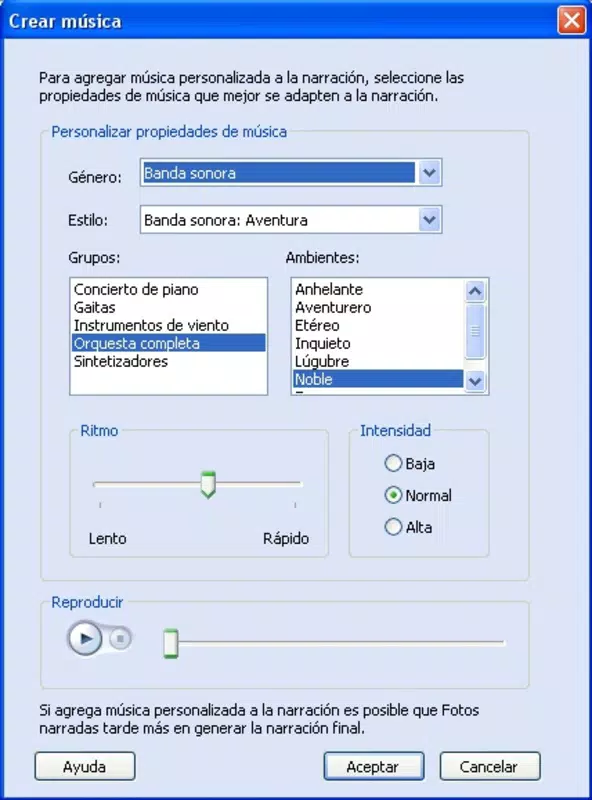
- Filters and Effects: A selection of visual enhancements can be applied to individual photos, adjusting tone, brightness, and style. These tools help unify the visual aesthetic of a presentation, especially when images vary in lighting or quality.
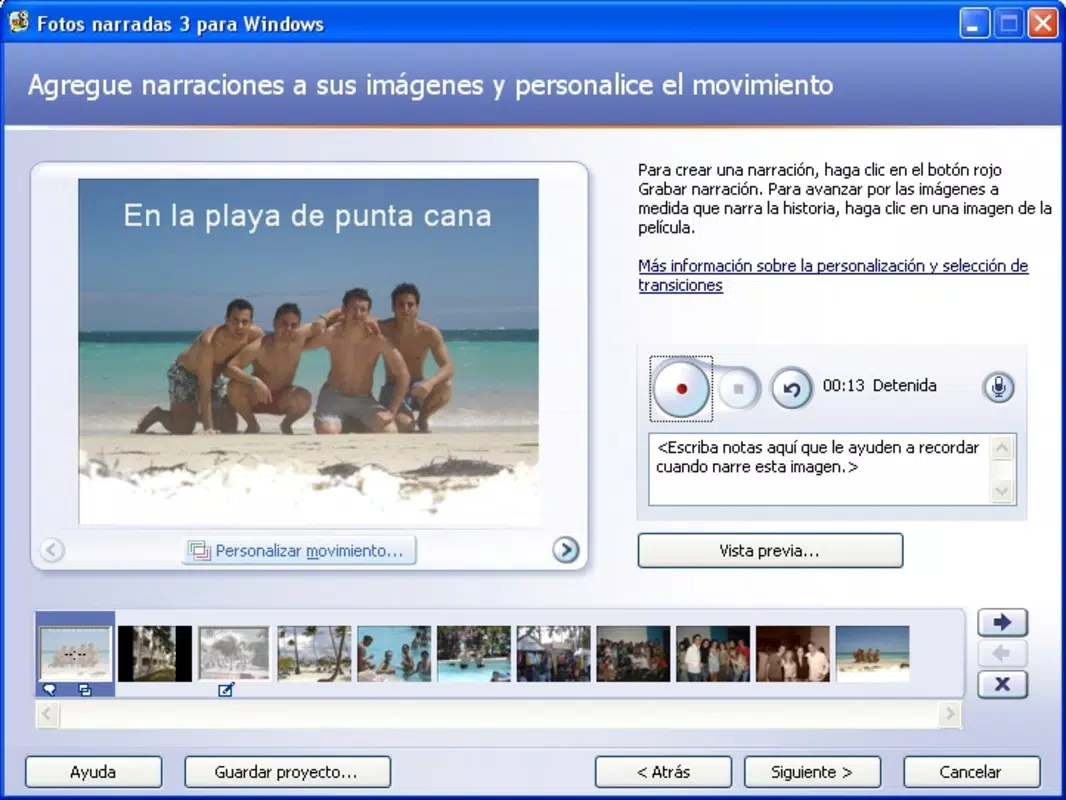
- Text and Comment Integration: Each photo can be paired with custom text or voice narration, enabling users to add context, quotes, or personal commentary. This functionality turns a simple image gallery into a narrative experience, suitable for both personal and educational use.
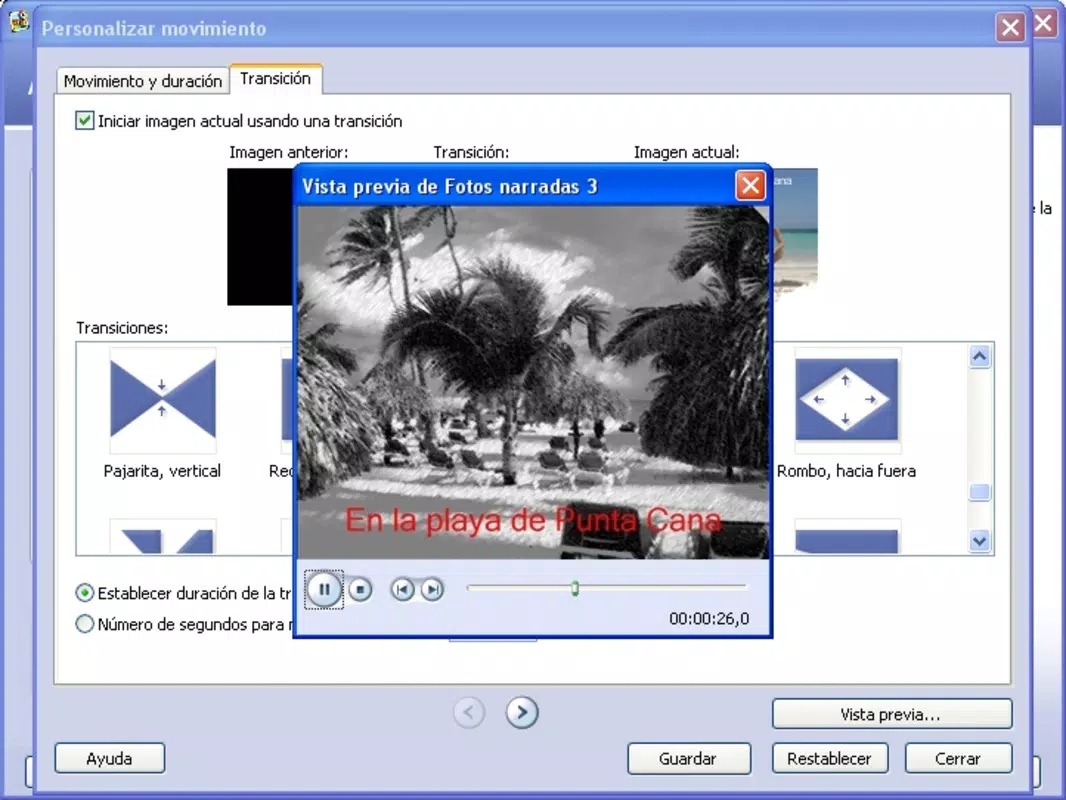
- Seamless Transitions: The app offers a range of smooth transition effects between images, such as fade, zoom, and pan. These transitions enhance continuity and maintain viewer engagement throughout the presentation.
- User-Friendly Interface: Designed with accessibility in mind, the layout is clean and intuitive. Navigation is straightforward, with clearly labeled tools and minimal learning curve, making it ideal for users of all experience levels.
These features collectively support real-world workflows such as creating digital photo albums for family members, preparing visual aids for school or work, or archiving travel experiences. The integration of audio and visual elements allows users to craft emotionally resonant stories without requiring advanced technical skills.
Interface, UX & Performance
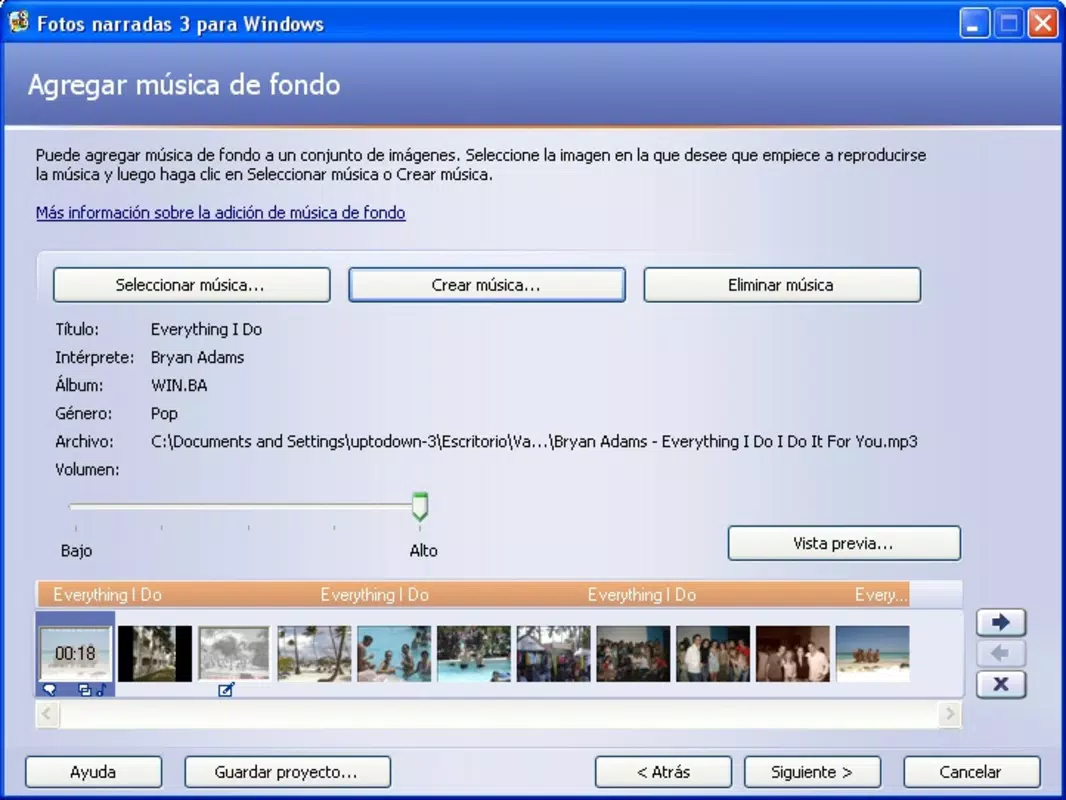
Microsoft Photo Story features a minimalist, task-focused interface that prioritizes ease of use. The layout is organized around a central timeline and preview window, with tools grouped logically for efficient access. Visual style is consistent with classic Windows design principles—clean lines, muted color schemes, and clear iconography—ensuring familiarity for long-time users.
Navigation is linear and intuitive, guiding users through the creation process step by step. The app responds promptly to user inputs, with minimal lag during photo loading and transition preview. Although the developer did not list formal performance metrics, the app’s file size of 18.4 MB suggests optimized resource usage.
It is expected to function smoothly on a range of Windows devices, including entry-level systems. Responsiveness is maintained across different screen resolutions, and the interface scales appropriately. Stability appears consistent based on the app’s release history and continued availability.
No reports of crashes or data loss were found in publicly available sources. Overall, the user experience reflects a mature product focused on usability and reliability.
Platform Compatibility & Technical Requirements
Microsoft Photo Story is available exclusively for the Windows platform. The current version is 3.1.8700.0, with a file size of 18.4 MB. The developer did not specify minimum OS requirements, nor did they list compatibility details for specific Windows editions.
As such, users should verify system compatibility through official channels. The app is designed to run on standard Windows environments and does not require high-end hardware. It is distributed as a free tool, with no in-app purchases or subscription models.
While the app supports export to VCD and DVD formats, the developer did not provide information on supported audio or video codecs. Compatibility with modern Windows versions (such as Windows 11) is likely but not confirmed. Users are advised to check official Microsoft documentation for updated compatibility notes.
Pros and Cons
Pros
- Free to download and use with no hidden costs
- Simple, intuitive interface suitable for beginners
- Supports multiple output formats including VCD and DVD
- Lightweight file size (18.4 MB) ensures fast installation
- Offers text, voice, and music integration for rich storytelling
Cons
- Platform restricted to Windows; no support for Android or iOS
- Developer did not provide detailed system requirements
- Limited customization options compared to professional video editors
- No cloud sync or cross-device access
- Not available via official app stores; installation requires direct download
FAQ
Is Microsoft Photo Story safe to download?
Yes, the app is officially distributed by Microsoft. Users should only download it from trusted sources to ensure authenticity and avoid potential malware.
Can I use Microsoft Photo Story on Windows 11?
While the developer did not confirm compatibility, the app is designed for Windows and is expected to function on Windows 11 systems. Users should verify performance after installation.
Does Microsoft Photo Story support video exports?
The app supports export in VCD and DVD formats, which are standard for physical media. Specific video file formats (e.g., MP4) were not listed in the provided information.
Is there a mobile version of Microsoft Photo Story?
No mobile version is available. The app is currently exclusive to Windows platforms.
How often does Microsoft update Photo Story?
Updates are released periodically, but the developer did not specify a fixed release schedule. Users should check official Microsoft channels for the latest version.
Final Thoughts
Microsoft Photo Story remains a valuable tool for anyone looking to create meaningful photo presentations without the complexity of professional video editing software. Its focus on simplicity, combined with essential creative features like transitions, narration, and visual effects, makes it ideal for personal storytelling and educational use. While it lacks modern features such as cloud integration or mobile access, its lightweight design and free availability make it a compelling choice for Windows users.
The app fills a niche in the productivity space by offering a reliable, no-frills solution for transforming memories into shareable media. For those seeking a straightforward way to compile photos into a polished presentation, Microsoft Photo Story delivers consistent value. Download Microsoft Photo Story now.


